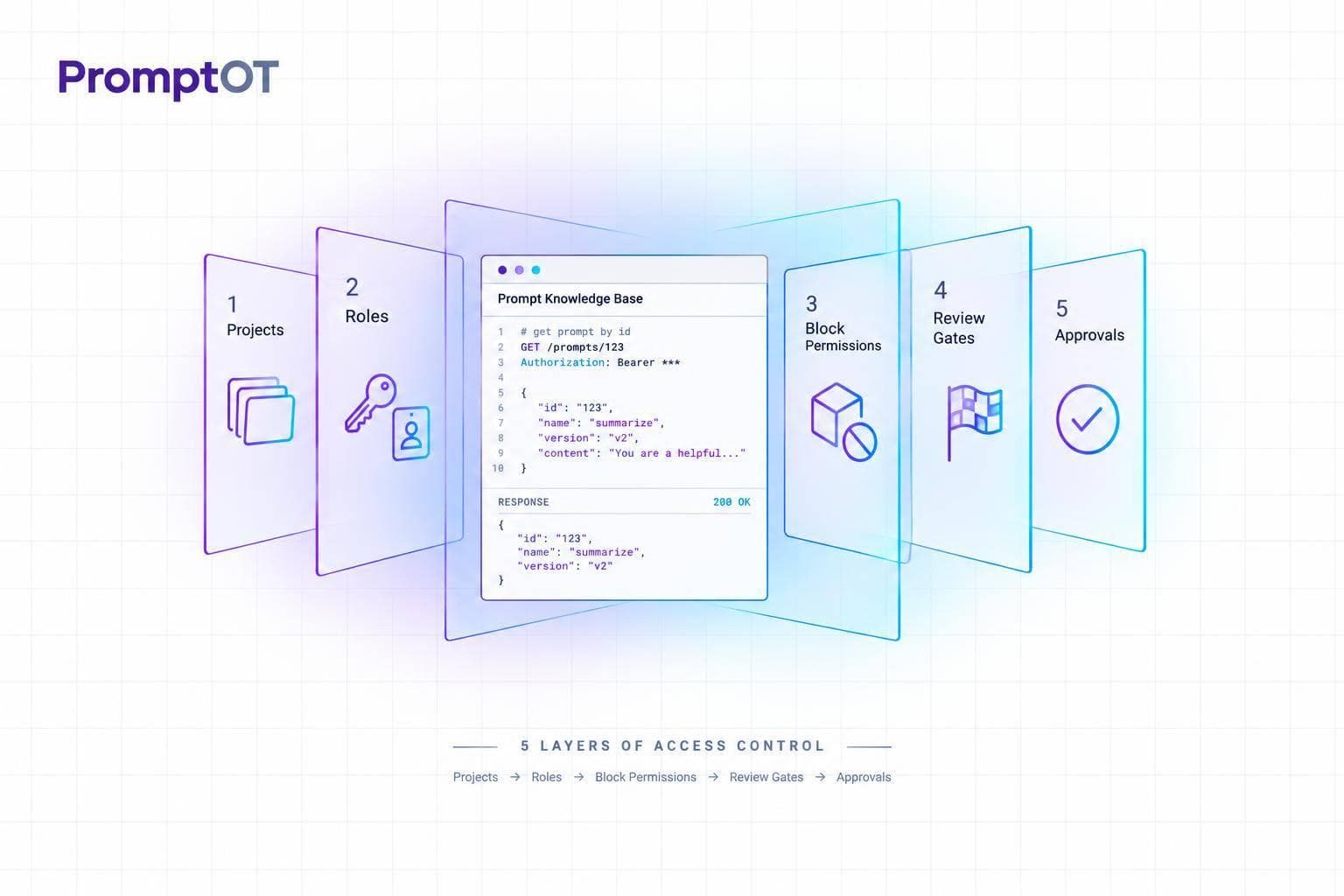
I start with one rule: give people only the access they need, and keep draft prompts out of production. Editing a prompt and letting an app use it require separate controls.
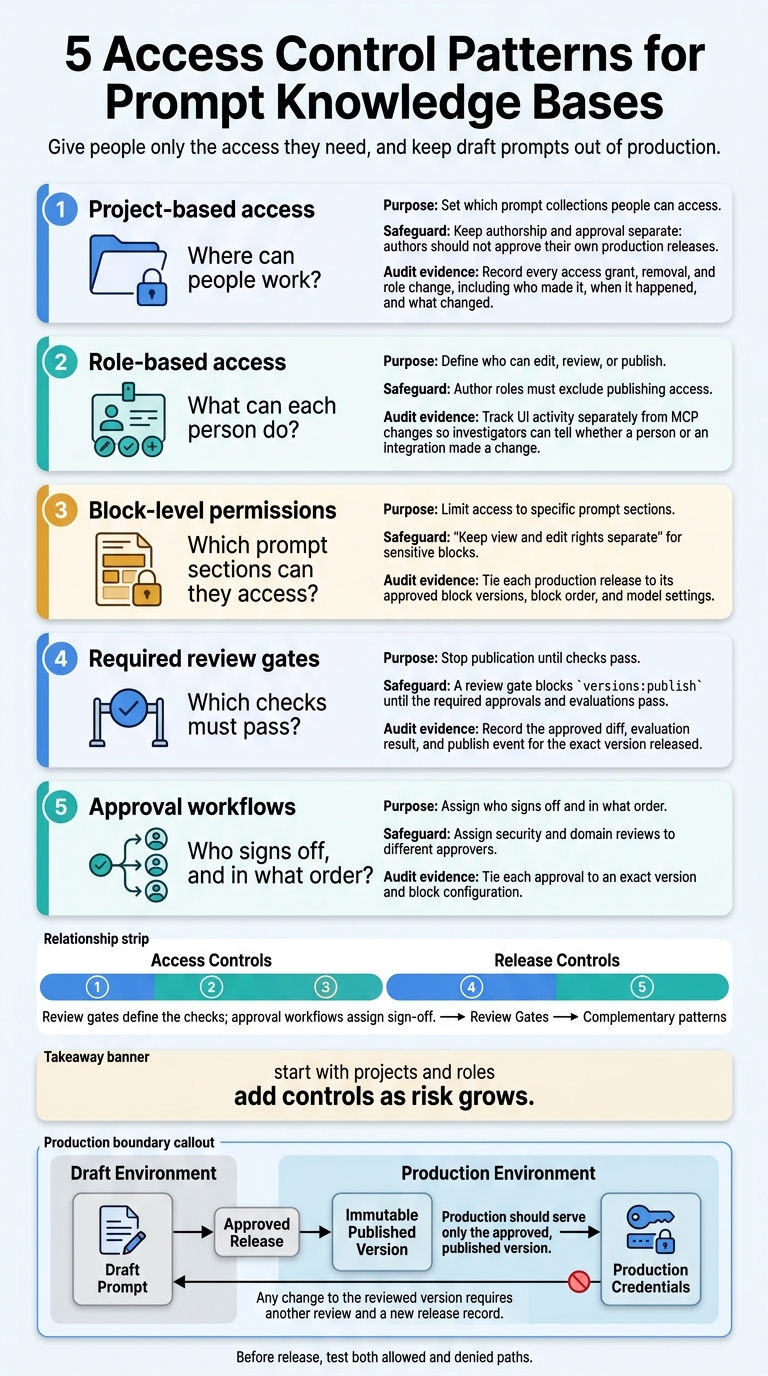
I use 5 access control patterns, each with a different job:
- Project-based access: Set which prompt collections people can access.
- Role-based access: Define who can edit, review, or publish.
- Block-level permissions: Limit access to specific prompt sections.
- Required review gates: Stop publication until checks pass.
- Approval workflows: Assign who signs off and in what order.
Quick Comparison
| Pattern | Access scope | Separation of duties | Admin work | Audit record |
|---|---|---|---|---|
| Projects | Workspace or prompt group | Needs separate release rights | Maintain membership | Access changes |
| Roles | Allowed actions | Split editing and publishing | Check role conflicts | Actions by each user |
| Blocks | Prompt sections | Split section ownership | Track shared blocks | Content, order, and versions |
| Review gates | Publication checks | Require another reviewer | Maintain tests and reviewers | Tested version and results |
| Approvals | Release sign-off | Assign independent approvers | Maintain review routes | Decisions linked to releases |
My rule of thumb: start with projects and roles, then add controls as risk grows. For higher-risk prompts, I require independent approval, release logs, and tested rollback.
Before release, I check <u>both allowed and denied actions</u> - including whether production credentials can fetch drafts. Approval must stay tied to the exact version an app uses.
5 Access Control Patterns for Prompt Knowledge Bases
1. Project-Based Access
Permission Scope
Match project membership to responsibility. Viewers read prompts, Editors update drafts, and Publishers promote versions to production. If some prompts need tighter controls than others, restrict access at the prompt-group level.
Separation of Duties
Keep authorship and approval separate: authors should not approve their own production releases. Store production versions as immutable snapshots that cannot be changed. Use environment-scoped API keys so production keys fetch immutable published versions, while development keys fetch drafts.
Administrative Overhead
Put a named owner in charge of membership and access settings. Review access on a fixed schedule, with shorter review cycles for regulated prompts. Grant access at the project level rather than across the organization.
Auditability
Record every access grant, removal, and role change, including who made it, when it happened, and what changed. Use PromptOT audit logs to filter access changes by action type, resource type, and date range.
Project boundaries set where access applies; role-based rules set what each person can do.
sbb-itb-b6d32c9
2. Role-Based Access
Project boundaries define where people work. Roles define what they can do within those boundaries.
Permission Scope
Assign roles for specific actions within each project. Authors get prompts:write and blocks:write. Reviewers review diffs, approvers check outputs against evaluation criteria, publishers need versions:publish, and consumers get read-only access. Block-level rights can limit which sections an author may edit.
High-risk sections and approvals need tighter controls beyond these baseline permissions.
Separation of Duties
Role names alone don't separate duties. Author roles must exclude publishing access. For regulated prompts, require independent review and legal sign-off before publication. Separate role names offer little protection if an author's API key also allows publishing.
Administrative Overhead
Keep a small, fixed set of roles, and reserve scoped API keys for integrations. Leave out evals:run and playground:run when execution isn't needed. This keeps administration simple while preserving separation of duties.
Auditability
Track UI activity separately from MCP changes so investigators can tell whether a person or an integration made a change. Use that audit trail to spot conflicting access rights and self-approval without permission.
3. Block-Level Permissions
Permission Scope
After project and role boundaries, block-level rights limit access to the most sensitive parts of a prompt. Keep view and edit rights separate for sensitive blocks. This lets stakeholders edit specific blocks - role, context, instructions, guardrails, or output format - without gaining access to the rest.
Only let users view compiled previews if they can read every included block. Otherwise, deny access or redact the restricted content. Apply the same rule in the playground.
Separation of Duties
Protect the prompt’s structure, not just its wording. In PromptOT, blocks:write allows users to create, update, delete, and reorder blocks - not just edit text. When authors need narrower rights, protect guardrails and block dependencies. Review both block content and order before approval.
Administrative Overhead
Use block-level controls when several specialists share a prompt but need different editing rights. These controls also suit prompts with mixed sensitivity and shared ownership, especially when legal or security sign-off is required.
Low-risk internal prompts may need only project-level roles. Prefer block-type policies over per-block exceptions.
Auditability
Log block edits, moves, removals, and access changes, including who made each change and when. Tie each production release to its approved block versions, block order, and model settings.
Unlike project- and role-level logs, this record shows the exact prompt structure used in production - not just what the prompt looks like today.
Once block access is limited, add review gates for changes that affect dependencies or production behavior.
4. Required Review Gates
Permission Scope
Review gates control the move from draft to published, not who can edit. A review gate blocks versions:publish until the required approvals and evaluations pass. Next, define who must approve the change.
Separation of Duties
Require someone other than the author to approve the change before publication.
Administrative Overhead
Use one reviewer for routine changes and require legal or security sign-off for regulated prompts. Set the evaluation threshold before review so “ready to publish” has a clear meaning.
Auditability
Record the approved diff, evaluation result, and publish event for the exact version released. This record supports the approval workflow.
5. Approval Workflows
Review gates define which checks are required. Approval workflows define who performs them and in what order.
Permission Scope
Assign approval rights by project or prompt group - not globally. Moving a draft to approved status requires sign-off from the assigned reviewer. Moving an approved version to published status requires versions:publish.
Separation of Duties
Assign security and domain reviews to different approvers.
Administrative Overhead
Run independent reviews in parallel. Use sequential approvals when one review depends on another, and match the routing to the prompt’s risk level.
Auditability
Tie each approval to an exact version and block configuration. Any change after approval starts a new version, and shared-block changes must trigger a new approval. Record each rollback as an explicit action linked to the restored version, preserving who performed it and when.
Compare the 4 Control Dimensions
These patterns cover four control layers: project scope, user actions, block access, and version promotion. Review gates define the checks; approval workflows assign sign-off.
Permission Scope
Controls stack from project to role, block, gate, and workflow. Choose the narrowest scope that fits the prompt’s sensitivity.
| Pattern | Scope and protected actions | Remaining exposure |
|---|---|---|
| Project-based access | Controls access to projects or prompt groups. | Broad membership exposes content within that boundary. |
| Role-based access | Controls which actions users can take. | Roles alone don’t isolate sensitive content. |
| Block-level permissions | Restricts reading or editing of specific components. | Downstream access still needs controls. |
| Required review gates | Blocks promotion until required checks pass. | Runtime access remains separate. |
| Approval workflows | Assigns sign-off before promotion to production. | Runtime authorization remains separate. |
Separation of Duties
With scope set, decide who can approve a release. Production should serve only the approved, published version.
| Pattern | Self-approval prevention | Promotion control | Additional control needed |
|---|---|---|---|
| Project-based access | Defines where users work, not who can release. | Limits access to project resources. | Separate editing and release responsibilities. |
| Role-based access | Splits edit and publish rights. | Reserves publishing for authorized roles. | Review conflicting capabilities. |
| Block-level permissions | Separates content ownership from promotion authority. | Doesn’t authorize publication on its own. | Include shared-block owners in approval. |
| Required review gates | Requires independent reviewer decisions. | Rejects promotion if required checks are missing. | Review the full assembled prompt, not just the changed block. |
| Approval workflows | Enforces independent sign-off. | Allows only the approved version into production. | Tie sign-off to the exact version being published. |
Administrative Overhead
Choose the lightest control set that fits the risk. Reuse role definitions and route reviews based on risk.
| Pattern | Setup requirements | Recurring administration | Failure mode |
|---|---|---|---|
| Project-based access | Define boundaries and project owners. | Update membership after transfers and departures. | Ownership becomes fragmented, or sensitivity levels get mixed. |
| Role-based access | Map roles to allowed actions. | Review assignments and conflicting capabilities. | Too many custom roles make verification harder. |
| Block-level permissions | Define ownership, inheritance, and dependencies. | Review exceptions and dependency changes. | Inheritance and dependency changes create hidden exposure. |
| Required review gates | Define checks and reviewers. | Maintain reviewer coverage. | Missing reviewers create queues. |
| Approval workflows | Define routing and release authority. | Update routes as teams and risks change. | Too many approval paths encourage bypasses. |
Auditability
Policy shows intent; logs show what happened. Restrict audit access, set retention rules, and protect records from alteration. PromptOT's audit logs and HMAC-signed webhook payloads can support evidence workflows.
| Pattern | Required evidence | Traceability gap | Safeguard |
|---|---|---|---|
| Project-based access | Membership changes, role assignments, and project-level overrides. | Current membership doesn’t show historical access. | Retain dated access changes. |
| Role-based access | Role assignments and permission use, including publishing. | Authorization doesn’t prove an action occurred. | Link each action to an actor, resource, and client. |
| Block-level permissions | Block versions, changes, inheritance, and dependency references. | Prompt-level diffs can hide inherited changes. | Preserve the resolved configuration for each release. |
| Required review gates | Reviewer comments, change requests, and approval decisions. | Pass/fail labels can hide the review’s scope. | Attach review records to the tested prompt version. |
| Approval workflows | Approval and publication records tied to an immutable version ID. | Approval alone doesn’t prove which version reached production. | Connect decisions to the published version and delivery environment. |
Trade-Offs and Controls by Risk Level
Set the risk tier by data sensitivity, intended use, and potential harm - not the industry label alone. Internal drafting with non-sensitive data needs less oversight than a prompt that shapes medical or lending decisions.
Each control has trade-offs, and those trade-offs change with the risk level.
| Pattern | Principal advantage | Principal limitation | Complementary control |
|---|---|---|---|
| Project-based access | Sets a clear workspace boundary. | No finer control within the workspace. | Project-scoped roles. |
| Role-based access | Controls specific actions. | Too broad without a defined scope. | Project scoping and access reviews. |
| Block-level permissions | Limits edits to assigned blocks. | Makes dependencies and permissions harder to track. | Version comparisons and assembled-prompt review. |
| Required review gates | Keeps unfinished changes out of production. | Acts only as a checkpoint. | Named approvers and automated evaluations. |
| Approval workflows | Makes someone accountable for sign-off. | Adds review time. | Regression tests before human review. |
Add controls as potential impact grows. The tiers below are cumulative: low risk starts with the minimum set; moderate risk adds review and testing; high risk adds restrictions, independent approval, audit trails, and rollback. Project scope, roles, blocks, gates, and approvals build on one another by tier. The use cases are examples.
Risk tier Recommended combination Release evidence Hypothetical use case Low Project membership, playground self-testing, light peer review. Version history and publish record. Internal brainstorming tool or draft email generator. Moderate Add Editor/Publisher roles, domain review, regression tests, and versioned publication. Version diff and evaluation results above threshold. Customer support bot for non-sensitive product FAQs. High Add restricted projects, protected blocks where supported, independent compliance approval, production audit trails, and tested rollback. Signed audit logs, security sign-off, and passed regression tests. U.S. healthcare triage; U.S. lending eligibility guidance.
Focus approval effort on changes with meaningful impact. Run regression tests before sending a release to reviewers. Also, verify that on-call engineers can restore a previously published version without a code deployment.
These controls support governance and evidence collection; legal, security, and operational requirements still apply.
Conclusion: Match Controls to Prompt Risk
Match control depth to risk. Start with projects and roles. Add block permissions, review gates, and approval workflows only as sensitivity increases. Approval must apply to the exact version released.
Any change to the reviewed version requires another review and a new release record. Log who released it, the timestamp, and the specific version released.
Treat these controls as release checks, not policy statements. Before release, test both allowed and denied paths. Block publishing without permission, protect shared instructions and guardrails, and confirm that runtime credentials can’t fetch drafts or cross boundaries. In PromptOT, environment-scoped API keys keep production traffic on published versions and development traffic on drafts.
FAQs
How do I detect conflicting prompt permissions?
In PromptOT, look for a 403 Insufficient Scope error when an action is denied. The error details show the required scope, granted scope, and missing permission.
To prevent conflicts, use project-level access and role-based permissions to control who can edit specific blocks or guardrails. Keep drafts separate from published versions, which can’t be changed. Use diff views and approval gates to review changes before publishing.
When should shared-block changes trigger regression tests?
Every proposed change to a shared block should trigger regression tests. Multiple prompts depend on these blocks, so one edit can silently break behavior across an application suite.
Before publishing, run evaluations and test cases against the affected prompts. Check that the update preserves expected behavior and meets established quality metrics. These checks act as a safety gate in the governance process.
How can emergency rollbacks preserve separation of duties?
Emergency rollbacks preserve separation of duties through audit trails that can’t be altered and narrowly defined permissions - not ad hoc changes. Every action, including a rollback, is logged with the actor’s identity and a timestamp for compliance.
Role-based access control restricts rollbacks to approved personnel. Teams can respond quickly, but only people with the right authority can change production states, and established approval workflows remain in place.